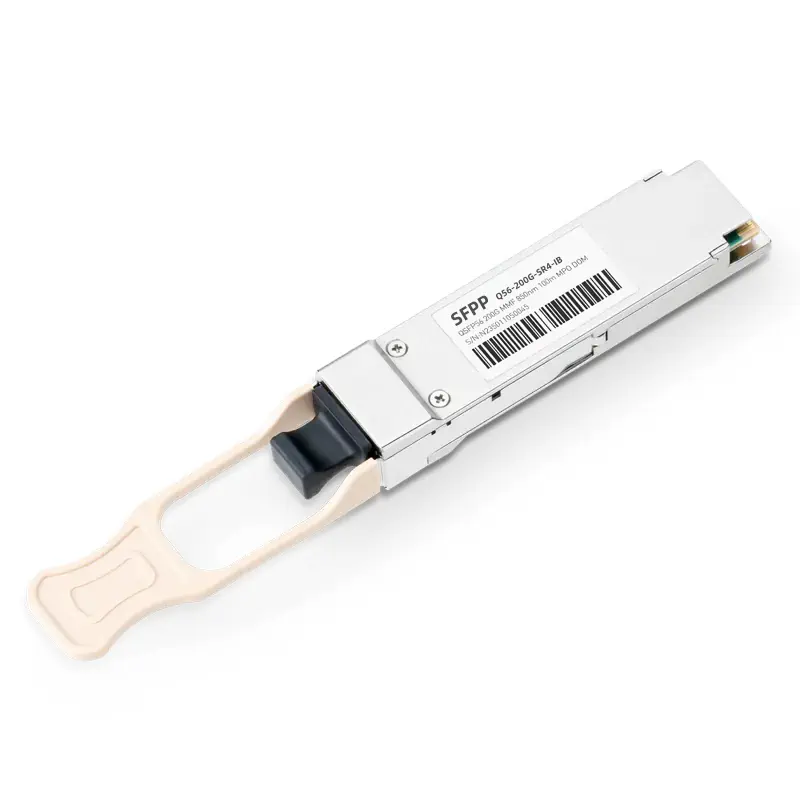
Generic Compatible 200GBASE-SR4 QSFP56 4x50G PAM4 850nm 100m MMF DOM MPO-12/UPC Optical Transceiver Module

$139.00

SKU: C3854B4141C3

Product Highlights

  • Maximum Power Consumption: ≤4.5W.
  • Provides Professional Compatibility Verification and Optical Parameter Test Reports.
  • Compliant with QSFP56 MSA, SFF-8665, and IEEE 802.3bs specifications for reliable 200GbE connectivity.
  • Class 1 Laser Safety, RoHS Compliant, and Lead-Free for environmentally responsible operation.
  • DDM (Digital Diagnostic Monitoring) Supported for real-time monitoring of key optical parameters.
  • 30-Day Free Return, 1-Year Free Replacement, 3-Year Warranty, and Lifetime After-Sales Technical Support.

Generic Compatible 200GBASE-SR4 QSFP56 4x50G PAM4 850nm 100m MMF DOM MPO-12/UPC Optical Transceiver Module

The Generic Compatible 200GBASE-SR4 QSFP56 Optical Transceiver Module is a high-performance, short-reach optical connectivity solution designed for 200GbE data center networks, high-speed server interconnects, and enterprise switching infrastructures. Featuring a QSFP56 form factor and four independent optical channels, this transceiver delivers an aggregate data rate of 200Gb/s over multimode fiber (MMF), providing efficient high-bandwidth connectivity for modern data center environments.

Operating at a nominal wavelength of 850nm, the module utilizes 4x50G PAM4 signaling to transmit data across four parallel optical lanes. Each lane supports a signaling rate of up to 26.5625 GBd, enabling high-density 200G Ethernet transmission while maintaining efficient optical connectivity. Its MPO-12/UPC connector provides a compact parallel-fiber interface for convenient integration with compatible multimode fiber cabling systems.

The 200GBASE-SR4 QSFP56 transceiver supports transmission distances of up to 70m over OM3 multimode fiber and up to 100m over OM4 multimode fiber, making it suitable for short-reach connections within data centers and enterprise network facilities. The integrated DOM (Digital Optical Monitoring) functionality enables real-time access to key operating parameters, helping network administrators monitor optical link conditions and maintain network reliability.

Designed in accordance with QSFP56 MSA, SFF-8665, and applicable IEEE 802.3bs specifications, this 200G QSFP56 SR4 optical module provides a practical solution for high-speed Ethernet deployments requiring compact form factors, parallel optical transmission, and reliable 200GbE connectivity.

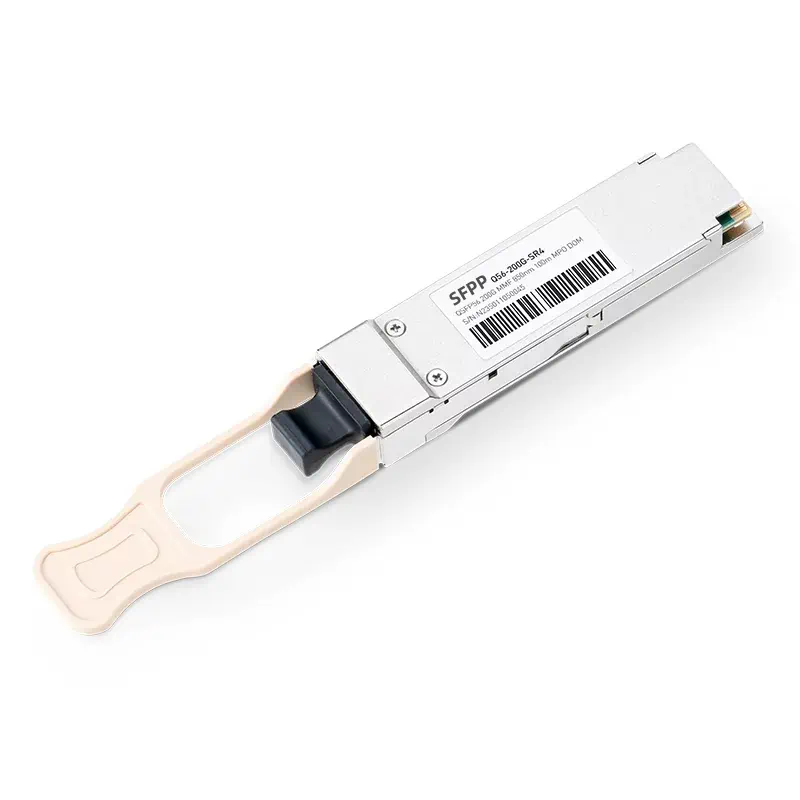
Specifications

Part Number Q56-200G-SR4 Vendor Name SFPPlaza
Form Factor QSFP56 Max. Data Rate 200Gbps
Wavelength 850nm Max. Cable Distance 100m
Connector MTP/MPO-12 (UPC/APC) Media MMF
Transmitter Type VCSEL Receiver Type PIN
Max. Power Consumption ≤4.5W Protocols 200G Ethernet Compliant
DDM/DOM Supported Commercial Temperature Range 0 to 70°C (32 to 158°F)
Modulation (Electrical) 4×53.125Gb/s PAM4 Modulation (Optical) 4×53.125Gb/s PAM4

Highlights

High-Density 200GbE Data Center Connectivity

The 200GBASE-SR4 QSFP56 transceiver is designed for high-bandwidth, short-reach connections in modern data center infrastructures. It is suitable for:
  • Switch-to-switch connections within high-density data center switching environments.
  • Server-to-switch interconnections in high-performance computing (HPC) clusters.
  • High-speed network links in enterprise data centers and cloud computing infrastructure.
  • Leaf-and-spine network architectures requiring high-capacity inter-switch connectivity.

Flexible 200G to 4x50G Network Architecture

With four independent 50Gb/s optical lanes, this transceiver provides flexibility for network architectures requiring either native 200GbE connectivity or supported 4x50G breakout configurations. It helps network operators optimize switch port utilization and connect different network layers through compatible 50GbE interfaces.

Efficient Multimode Fiber Infrastructure

Operating over widely deployed OM3 and OM4 multimode fiber cabling, the 200G SR4 QSFP56 module provides a practical option for short-distance data center interconnections. Its parallel optical architecture supports high-capacity links without requiring single-mode fiber infrastructure for these short-reach applications.

Simplified Network Monitoring and Maintenance

Integrated DOM functionality provides access to key optical operating parameters, supporting proactive link monitoring and troubleshooting. Network administrators can use optical diagnostic information to identify potential connectivity issues and improve day-to-day network maintenance efficiency.

Scalable Solution for Next-Generation Ethernet Networks

The QSFP56 form factor and 200GbE transmission capability make this optical module suitable for network upgrades from 100GbE to 200GbE. It provides a compact connectivity option for organizations expanding bandwidth capacity in data center switching, cloud infrastructure, and high-performance computing environments.

100% Compatibility Validated for Arista, NVIDIA, Cisco & Broadcom RoCE Networks

SFPPlaza optical transceivers, AOCs, and DACs undergo rigorous compatibility and interoperability testing with leading RoCE networking platforms, including Arista 7060XE7 and 7060X6 Series data center switches, NVIDIA Spectrum-4 SN5000 Series switches, Cisco N9100 and Nexus 9364E-SG2 Series switches, and Broadcom BCM57708 and BCM957608 NICs. Designed for high-performance RoCE and AI data center networks, our connectivity solutions deliver reliable high-speed data transmission, stable link performance, and seamless integration across demanding network environments.

NVIDIA/Mellanox (Ethernet) 920-9N42F-00RI-3C1, MSN4700-WS2FC, 900-9X81E-00EX-ST0, MCX75310AAS-NEAT, B3240, MCX623105AC-VDAT
Arista 7060XE7-128PE, 7060X6-64PE, 720R4-128PE, 7060DX5-32, 7050DX4-32S, 7280DR3A-54
Juniper QFX5240-64QD, QFX5700, QFX5220-32CD, QFX5120-48T, QFX5110-32Q
Cisco N9164E-NS4-O, N9364E-SG2-Q, Nexus 9364D-GX2A, Nexus 9504, 8501-SYS-MT, Nexus 3432D-S, N9K-X9400-16W(200G)
Broadcom P1800GO, BCM957608-P1400GDF00, BCM957508-N1200G
HUAWEI CE9875-64EO, CloudEngine 16804, CloudEngine 9865-4C, CloudEngine S6780-H4Z, CloudEngine 6885-48YS8CQ-T
H3C S9827-64EP, S9857-24DH8EP, S9855-32D, S9820-8C
Nokia 7220 IXR-H5-32D, 7220 IXR-H2

Questions & Answers

Q56-200G-SR4: Frequently Asked Questions

Q: What type of fiber patch cable is required for a QSFP56 200G SR4 transceiver?

A: The QSFP56 200G SR4 transceiver uses an MPO-12/UPC optical interface and requires an OM3 or OM4 multimode fiber (MMF) MPO-12/UPC patch cable. Ensure that the fiber polarity and connector configuration match the connected equipment and link design.

Q: What modulation technology and lane configuration does the QSFP56 200G SR4 transceiver use?

A: The 200G QSFP56 SR4 transceiver uses four parallel optical lanes, each operating at 50Gb/s using PAM4 modulation, to deliver an aggregate data rate of 200Gb/s. Each lane uses a separate transmit and receive fiber pair over multimode fiber.

Q: Is a QSFP56 200G SR4 transceiver compatible with a QSFP-DD port?

A: A QSFP-DD port may support backward compatibility with QSFP56 transceivers, provided that the switch or network device supports QSFP56 modules and the required 200GbE operating mode. When supported, the port can operate at 200Gb/s rather than its maximum 400Gb/s capacity. Always verify the host device’s hardware and firmware compatibility before deployment.

Q: What is the maximum transmission distance of a QSFP56 200G SR4 transceiver over OM3 and OM4 multimode fiber?

A: The QSFP56 200G SR4 transceiver supports transmission distances of up to 70m over OM3 multimode fiber and up to 100m over OM4 multimode fiber. For optimal link performance, use fiber cabling that meets the specified OM3 or OM4 requirements.

Q: Can a QSFP56 200G SR4 transceiver be used in a 4x50G breakout configuration?

A: Yes. The QSFP56 200G SR4 transceiver can support a 4x50G breakout connection when the host switch supports the required breakout mode. An MPO-12/UPC to 4xLC duplex multimode breakout cable can connect the transceiver to four individual 50G SFP56 SR optical transceivers, enabling four independent 50GbE links. Make sure the cable polarity and host port configuration are correct.
x